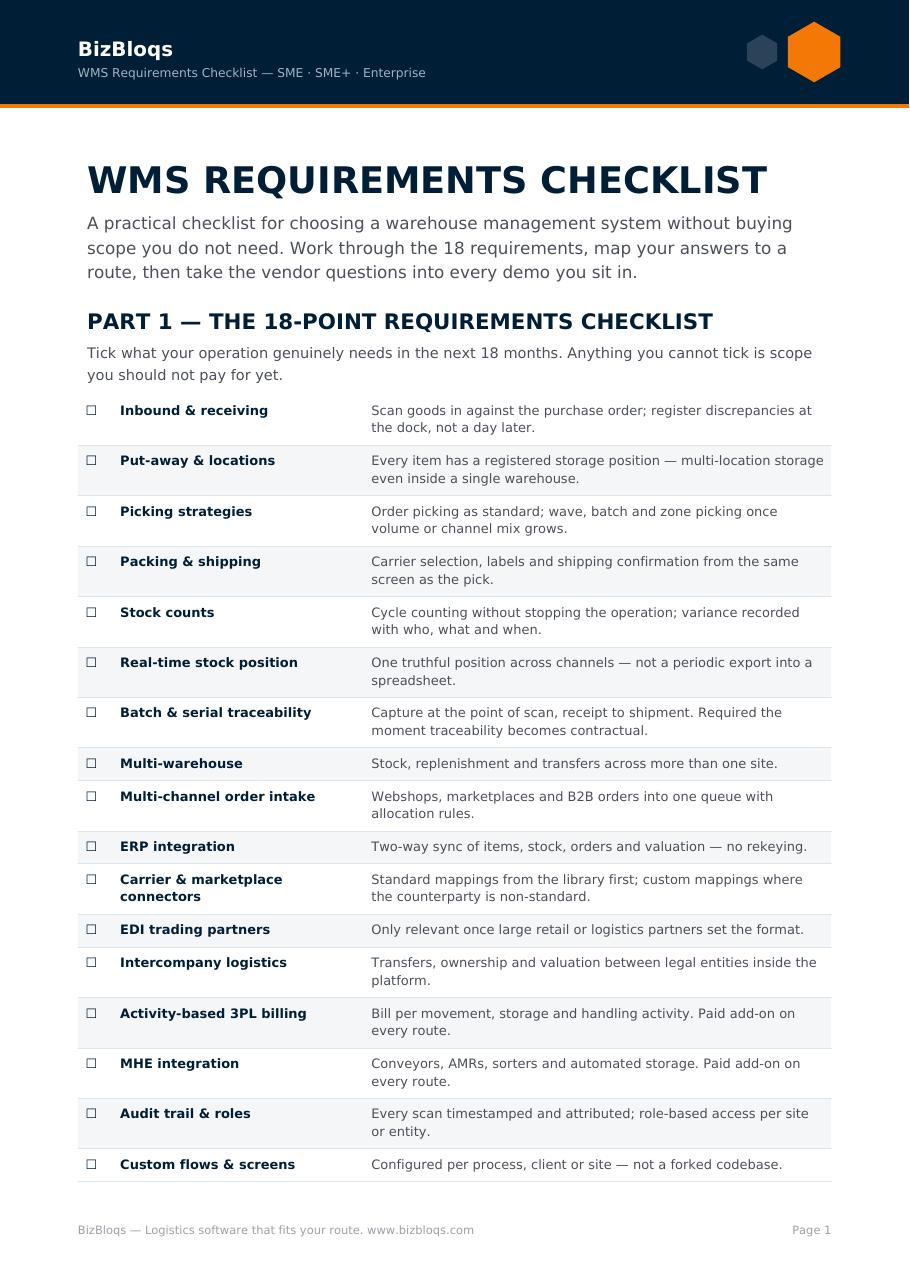
Most WMS selections are decided before the first vendor is contacted — by how the requirements were written. A document built from a 300-line feature matrix produces 300 ticks from every vendor and tells you nothing. A document built from the flows that actually have to run produces answers you can compare, and demos you can fail.
Below is the structure that works, section by section. Keep it short. Every requirement should be provable in a demo on your own data.
1. Scope and context
Sites, shifts, order lines per day at average and at peak, SKU count, storage types, seasonality, growth expectation over three years. Vendors price and scope from this, so vagueness here returns quotes you cannot compare.
2. The flows that have to run
Describe them as they happen, not as feature names: receiving and quality checks, putaway, replenishment, each picking method you need (single, batch, zone, wave), packing, shipping, cycle counting, returns, and any value-added service such as kitting or labelling.
3. Control requirements
Batch, serial, expiry, FEFO, quality hold, dangerous goods, customer-specific packing instructions, and any audit obligation. State which are legally required versus preferred — vendors price them very differently.
4. Integrations
Your ERP and its version, your channels and marketplaces, carriers, PIM, forecasting. List the messages you need per system rather than naming the platform alone. The ERP–WMS message reference is a usable starting list.
5. Hardware and site
Scanners, mobile devices, label printers, Wi-Fi coverage, any conveyor or automation in scope, and who supplies each. Hardware left out of an RFP reliably reappears as a change order.
6. The change model — the section most RFPs omit
For every deviation you request, ask: configuration or development, who performs it, how long it takes, and what it costs in year two. This single section separates a platform that stays affordable from one where every process change is a quoted project.
7. Commercials
Billing basis (users, sites, volume), implementation cost, training, support levels and response times, hypercare, contract term, exit terms and data export. Ask for a three-year total, not a monthly figure.
8. Proof
- A demo using your article data and your orders — not the vendor's demo set.
- A reference customer in your sector, at your size, that you may call directly.
- A named implementation lead and the phase plan with owners per phase.
The questions that actually separate vendors
- Is this deviation configuration or development?
- Do you have a live customer on my exact ERP version?
- What does a process change cost in year two?
- Who cleans the article data, and when do you need it?
- What happens when an integration message fails?
- What is the smallest scope that gets us live, and what can wait until phase two?
What to leave out
Drop the exhaustive feature matrix, the questions every vendor answers "yes" to, and anything you cannot verify in a demo. They add weeks to the process and remove no candidates.
A structured requirement list to work through is in the WMS selection checklist, and the scoring method is in comparing WMS software. The whole decision, end to end, is in the complete WMS guide.
If you would rather test the requirements than write them first, book a working session — thirty minutes on your own flow usually rewrites the RFP better than another week of drafting.
Before you write the requirements, decide which of the five types of warehouse management system you are buying.