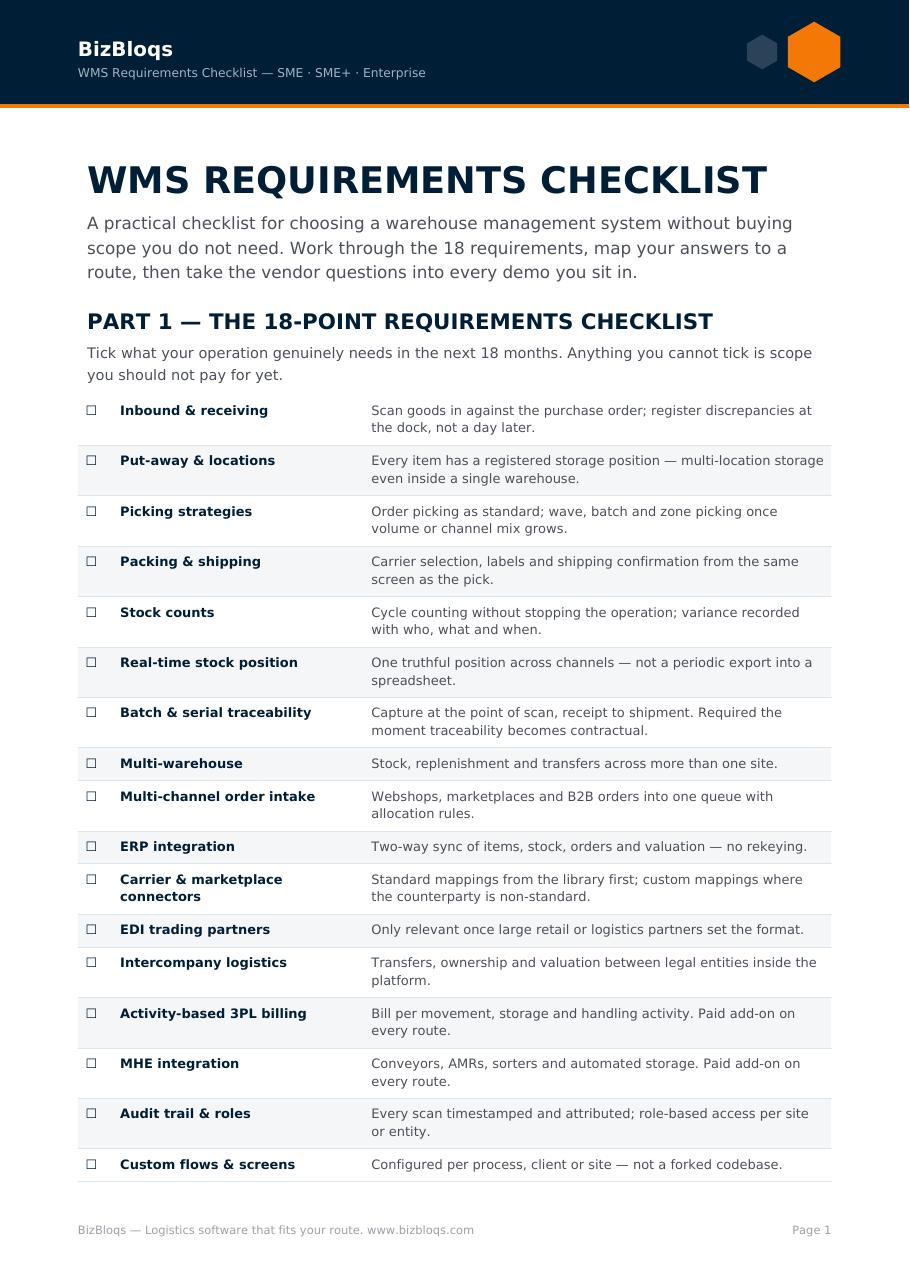
There are five main types of warehouse management system: standalone, cloud-based (SaaS), ERP-integrated, supply-chain-suite and 3PL or multi-client. They differ in how deep their warehouse execution goes, how much integration you have to build, how they are priced and how well they scale. Choosing the wrong type is the most expensive mistake in a WMS selection, because the cost shows up years later as manual workarounds, duplicate data entry and integration projects nobody planned for.
Before comparing types, it is worth being clear on what any warehouse management system is actually for: directing the work, not just recording the stock.
This guide walks through the main types of warehouse management systems, what each one is good at, where each one breaks, and how to decide which fits your operation.
1. Standalone WMS
A standalone WMS is dedicated warehouse software that runs independently of your ERP or e-commerce platform. It focuses purely on execution: receiving, putaway, locations, replenishment, picking, packing and shipping.
- Best for: operations where warehouse execution is the bottleneck and the ERP is stable and untouchable.
- Strengths: deep warehouse functionality, scanner-guided workflows, fast to deploy, does not force an ERP migration.
- Watch out for: every connection to ERP, webshop, marketplaces and carriers is an integration you must own. Without them, staff become the integration layer.
2. Cloud-based (SaaS) WMS
A cloud WMS is delivered as a subscription and hosted by the vendor. Functionally it can be standalone or part of a broader suite; the difference is the delivery model.
- Best for: SMEs and fast-growing operations that want predictable monthly cost instead of capital expenditure.
- Strengths: no servers to maintain, continuous updates, remote and multi-site access, quick time-to-value, scales with volume.
- Watch out for: connectivity in the warehouse, data residency requirements, and how much configuration you can do without vendor involvement.
3. ERP-integrated WMS
An ERP-integrated WMS is a warehouse module inside — or tightly coupled to — your ERP (Exact, Sage, Uniconta, SAP, Microsoft Dynamics and similar).
- Best for: companies where finance, purchasing and inventory valuation must stay in a single system of record.
- Strengths: one dataset, no stock reconciliation between systems, familiar user administration, single vendor relationship.
- Watch out for: ERP warehouse modules are usually administrative rather than execution-grade. Wave picking, zone logic, cross-docking, batch and serial control at speed, and mobile scanning are often thin or absent. Upgrades are also tied to the ERP release cycle.
4. Supply-chain-suite WMS
Here the WMS is one module in a larger supply chain execution platform alongside transport management, order management and demand planning.
- Best for: multi-site, multi-channel enterprises coordinating warehousing, transport and inventory across a network.
- Strengths: end-to-end orchestration, shared master data, strong analytics across the chain.
- Watch out for: implementation length, cost, and the amount of internal process change required. Rarely proportionate for a single-site SME.
5. 3PL and multi-client WMS
Third-party logistics providers need a WMS that separates clients, contracts and billing inside the same physical building.
- Best for: logistics service providers, fulfilment operations and shared-warehouse setups.
- Strengths: client-level segregation, activity-based billing, per-client SLAs, portals and reporting.
- Watch out for: billing accuracy depends entirely on capturing every handling event. If activities are not scanned, revenue leaks.
Comparing the types of WMS
- Depth of warehouse execution: standalone, supply-chain-suite and 3PL systems lead; ERP modules typically trail.
- Integration effort: lowest for ERP-integrated, highest for standalone unless the vendor ships pre-built connectors.
- Speed of deployment: cloud WMS is usually fastest, suite implementations slowest.
- Cost model: cloud is operational subscription; on-premise standalone and suite deployments are capital-heavy.
- Scalability: cloud and suite platforms scale most easily across sites and volume peaks.
How to choose the right type
- Start with the failure you are paying for. Mis-picks and stock mismatches point to an execution problem, so favour execution-grade software. Reporting and valuation problems point at the ERP layer.
- Count the systems that must agree. Webshop, marketplaces, ERP, carriers, returns. The more endpoints, the more integration capability matters relative to raw feature lists.
- Check who owns configuration. If every change needs a vendor ticket, your process will freeze at go-live.
- Model total cost over five years, including integrations, hardware, training and the internal hours spent maintaining connections — not just licences. Put your own volumes into the ROI calculator: the payback period usually narrows the choice faster than a feature matrix does.
- Test with your own data. A demo on vendor sample data proves nothing about your SKUs, batches and order profiles.
Where BizBloqs fits
BizBloqs is a cloud-based WMS built for execution, with OMS capability and pre-built connections to ERP systems, webshops, marketplaces and carriers. That combination is deliberate: it gives you the warehouse depth of a standalone system without leaving you to build every integration yourself, and it keeps your existing ERP as the financial system of record.
In practice that means scanner-guided receiving, putaway, picking and packing; real-time inventory that other systems can trust; and orchestrated availability across sales channels — with configuration you can adjust as your process changes.