A warehouse management system (WMS) is software that directs and records every physical movement of stock inside your four walls. It tells the operator where to put a pallet, which location to pick from, in what sequence, and it captures each action as it happens, usually with a barcode scan. The result is a live, trustworthy picture of what you have and where it is.
That is the short answer. The longer answer matters, because "we already track stock in our ERP" is the most common reason companies delay a WMS and then spend years absorbing the cost of not having one.
What a WMS actually does
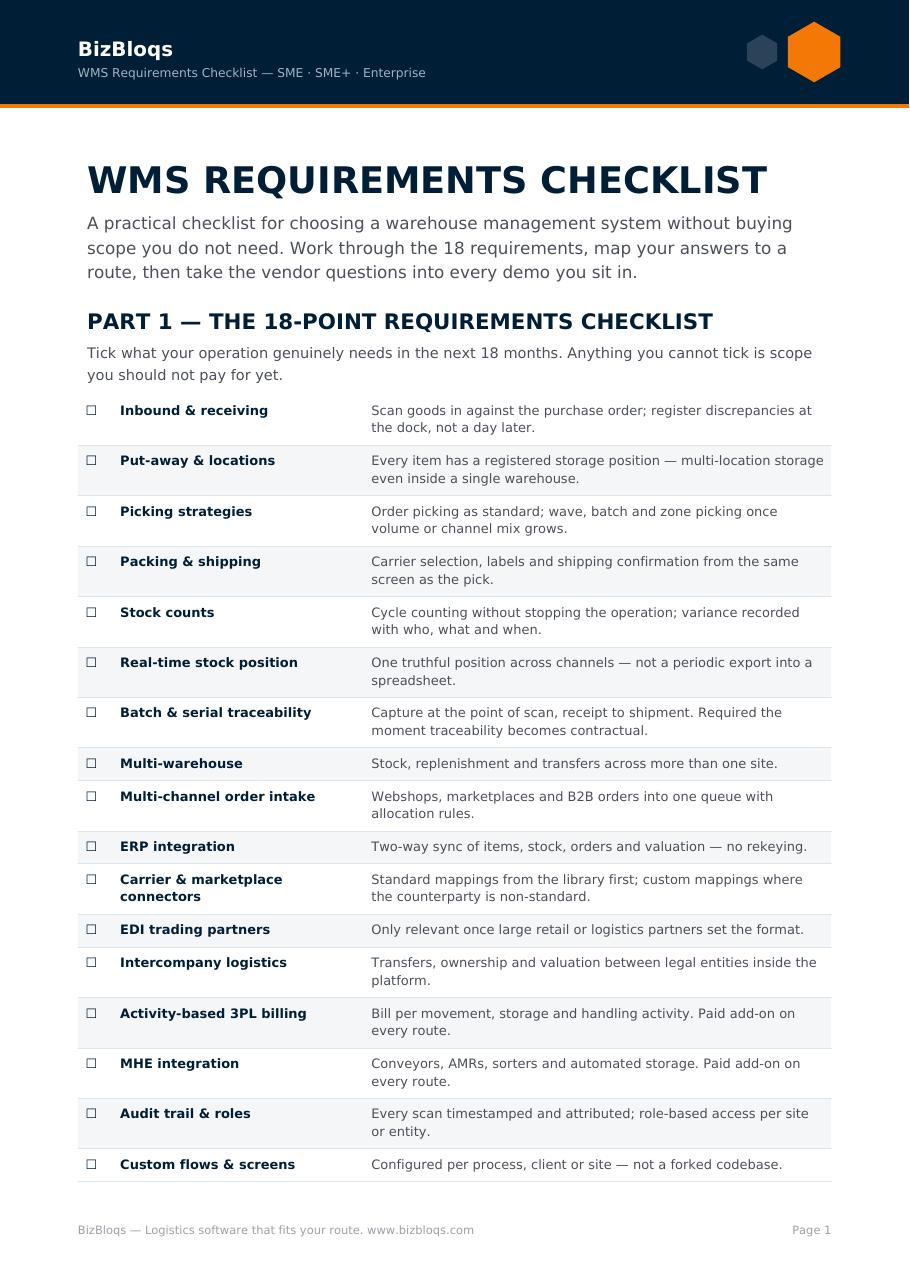
- Receiving: scan inbound goods against the purchase order, flag shortages and damages at the dock instead of at month-end.
- Putaway: the system chooses the location based on rules — velocity, temperature, batch, hazard class — rather than leaving it to whoever is on shift.
- Inventory control: location-level stock with batch, serial, expiry and lot traceability, plus cycle counting instead of an annual shutdown.
- Replenishment: pick faces are topped up automatically before they run dry.
- Order picking: single, batch, zone or wave picking with a routed path and scan verification on every line.
- Packing and shipping: carton logic, carrier selection, labels and documents generated from the order, not retyped.
- Audit trail: who did what, where and when — the evidence base for quality, recalls and customer claims.
WMS versus an ERP stock module
An ERP knows how much stock you own in financial terms. A WMS knows where that stock physically is and directs the people who touch it. ERP inventory modules are administrative: they are excellent at valuation, purchasing and reconciliation, and thin on execution — no directed putaway, no zone logic, limited scanning, weak batch control at speed.
The practical test: if your team keeps a spreadsheet, a whiteboard or a memory of "where things really are" alongside the ERP, you do not have warehouse management. You have stock accounting plus tribal knowledge.
Why SMEs move from manual to scan-driven
Manual operations do not fail loudly. They leak: mispicks that become credit notes, stock write-offs discovered too late, an extra temp per shift during peak, and a founder who is the only person who can answer a customer question. Those are all cash costs, and they scale linearly with volume.
A WMS converts that into fixed, measurable process: accuracy above 99%, onboarding a picker in a day instead of a month, and a real-time answer to "where is order 4471" without walking the floor.
The main benefits, in plain numbers
- Inventory accuracy: from typical 85–95% manual accuracy to 99%+ with scan verification.
- Picking productivity: routed picking and fewer search walks generally free 20–30% of picker time.
- Error cost: each mispick carries the return shipment, the replacement, the admin and the customer relationship — a WMS removes most of them at source.
- Space: rule-based putaway and slotting recover storage capacity you already pay rent on.
- Compliance: batch, expiry and serial traceability that survives an audit or a recall.
Types of WMS
Standalone, cloud-based (SaaS), ERP-integrated, supply-chain-suite and 3PL multi-client systems all carry the same label and solve different problems. We break down the trade-offs, costs and failure modes of each in our companion guide, Types of Warehouse Management Systems Explained.
How to know you are ready
- Stock figures are argued about rather than trusted.
- Peaks are absorbed with temps rather than throughput.
- New staff need weeks before they are productive.
- Order volume across channels is growing faster than your ability to check it.
- A recall, audit or large customer would expose gaps in traceability.
What implementation looks like
For an SME on a configurable, cloud-delivered platform, a first live warehouse is a matter of weeks, not quarters: map the current process, configure workflows, connect ERP and channels, label locations, train on the floor, run parallel, then cut over. The work that determines success is process definition and master data quality, not software installation.
Where BizBloqs fits
BizBloqs delivers warehouse and order management as a configurable service — enterprise-grade execution at a cost structure a small or medium business can carry, with integrations to ERP, webshops, marketplaces and carriers included in the design rather than bolted on later.
If you want to see what the change is worth in your own numbers, run the ROI calculator or book a demo and we will walk your process end to end.